How to write test cases in software testing (with worked examples)
How to write clear, repeatable test cases, with a worked login example, a copyable template and the mistakes to avoid.

A test case is a written set of conditions, inputs, steps, and expected results you use to check that software behaves the way it should. Write one by defining its goal, listing prerequisites and test data, writing short numbered steps, and stating an observable expected result for each step. This guide covers the anatomy of a test case, a fully worked login example, a copyable template, and the mistakes that make test cases fail in practice.
- Test case: one specific check with concrete steps and expected results.
- Test scenario: the broader situation or user goal a set of test cases covers.
- Test script: the detailed instructions (or code) for executing a test case.
- Good test cases are clear, independent, traceable to requirements, and kept current.
What Is a Test Case in Software Testing?
A test case, as one of the definitions in the MoTaverse glossary, is a set of clear steps and conditions designed to check if part of a system behaves in the way we expect. It typically includes the starting point, the actions to take, and the outcome we expect to occur.
In plain terms: a test case answers three questions. What do we set up? What do we do? What should happen if the software works correctly?
Test cases fit into testing practice like this. You start from requirements or user stories, design test scenarios for the situations worth checking, and break each scenario into one or more test cases. When you execute them, you record what actually happened and whether the test passed, failed, or was blocked.
In a formal sense, they can be distinguished into two levels. A high-level test case uses abstract inputs and expected results, while a low-level test case uses concrete values and detailed actions. Most manual test suites are low-level; chart-based design techniques often start high-level. The tradeoffs: low-level cases take more effort to create and maintain, but let less experienced testers rerun them and get the same result.
Test Case vs Test Scenario vs Test Script
These three terms get mixed up constantly, especially by people new to testing. Here is the distinction most teams use.
| Term | What it is | Example (login feature) |
|---|---|---|
| Test scenario | The situation or user goal to test, at a high level | "Verify a registered user can log in" |
| Test case | One specific check with defined inputs and expected results | "Log in with a valid email and correct password, expect the dashboard to load" |
| Test script | The exact step-by-step instructions or automated code that executes the test case | "Enter user@mail.com in the email field, enter Passw0rd! in the password field, click Sign In" |
Think of it as a funnel. A scenario describes why you are testing. A test case defines what to verify and what outcome counts as success. A script spells out exactly how to perform it, manually or as automation. A single scenario usually produces several test cases, one for each input combination you care about.
If you want a structured way to decide which input combinations deserve their own test cases, decision table testing is a useful technique to learn. It maps conditions to outcomes so you cover combinations deliberately instead of by guesswork.
The Core Components of a Test Case
Teams differ in field names, but almost every useful test case contains these parts.
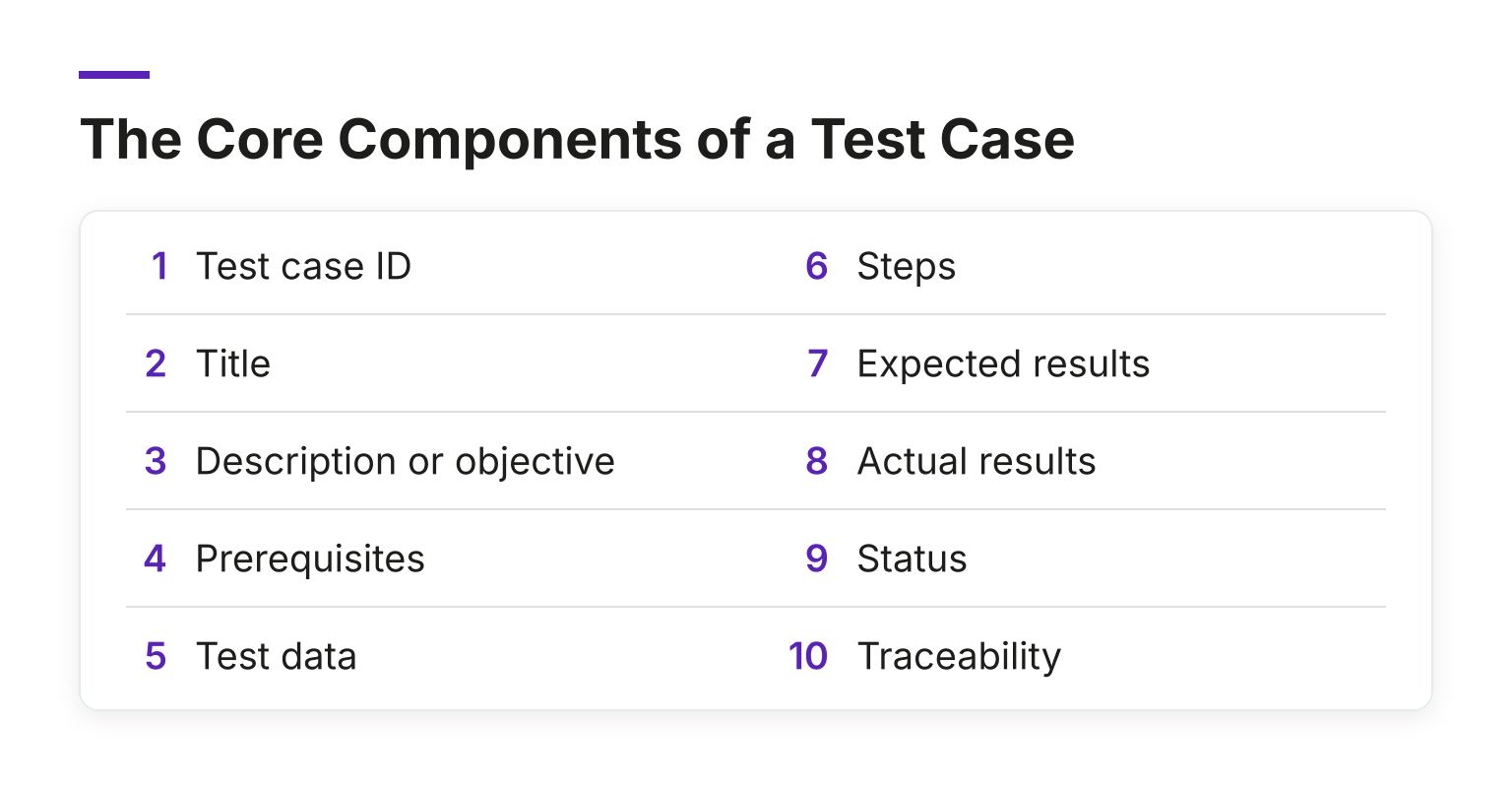
- Test case ID. A unique identifier so people can find, reference, and report on the test without confusion.
- Title. A short, descriptive name, such as "Login with valid credentials succeeds."
- Description or objective. One or two sentences on what the test verifies and why it matters.
- Prerequisites. The state the system must be in first: an existing account, a specific environment, certain permissions.
- Test data. The concrete values you will use: emails, passwords, file sizes, payment amounts.
- Steps. Numbered actions a person can follow exactly, without guessing.
- Expected results. What should happen, stated so two different testers would agree on pass or fail.
- Actual results. What really happened, filled in during execution. Many teams only record this when it differs from expected.
- Status. Pass, fail, or blocked, updated after each run.
- Traceability. A link to the requirement, user story, or defect the test covers, so you can show coverage and spot gaps.
The first five fields should be complete before execution. The last three belong to the test run itself.
How to Write a Good Test Case, Step by Step
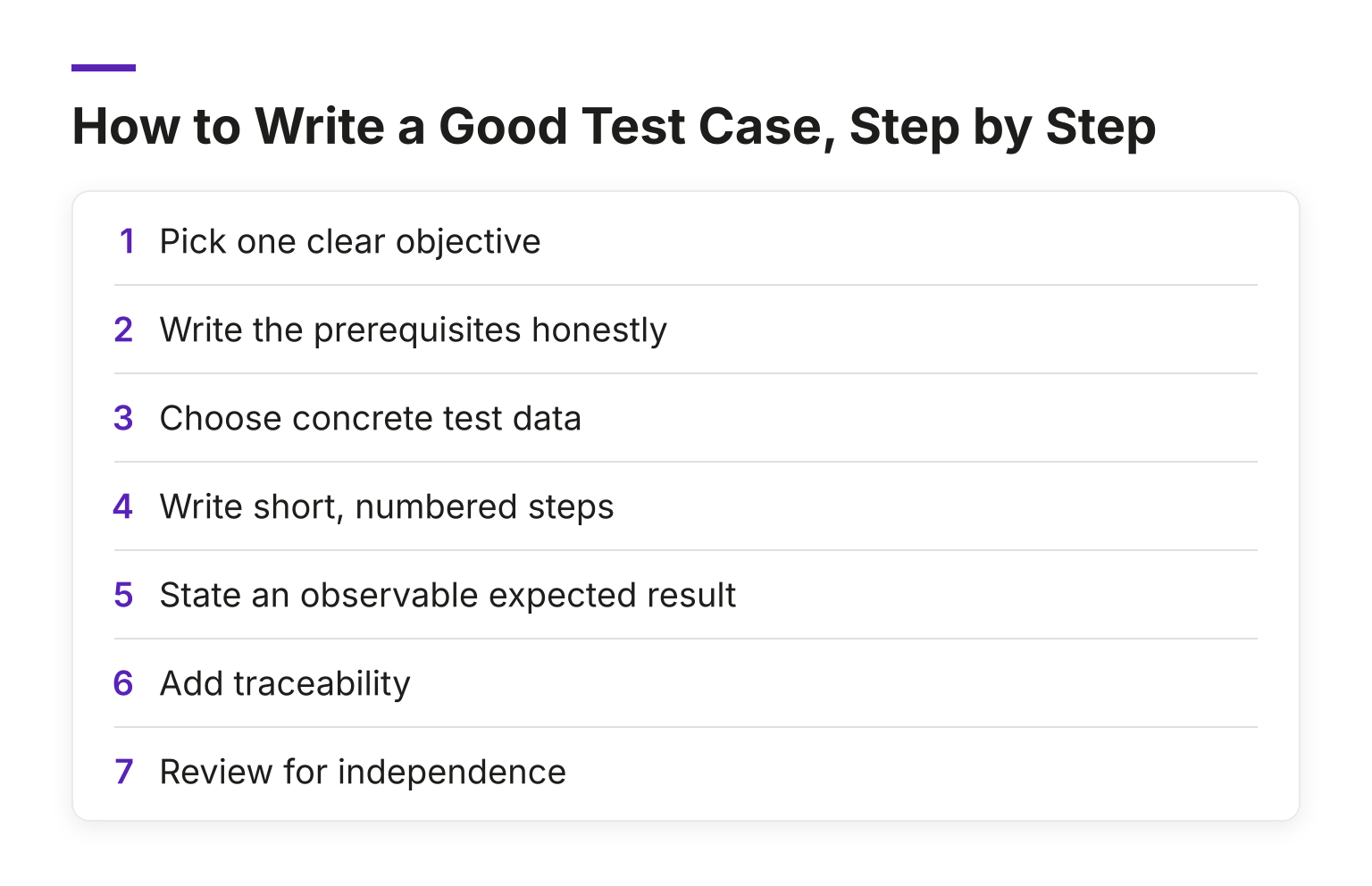
- Pick one clear objective. If your test case checks three things, it is really three test cases. Small scope keeps results easy to interpret.
- Write the prerequisites honestly. Include account setup, environment, and any data the test depends on. Missing preconditions are a top reason tests fail for the wrong reason.
- Choose concrete test data. "Use a valid email" is not test data. "user@mail.com with password Passw0rd!" is.
- Write short, numbered steps. Each step should be one action a new team member could follow word for word. Experienced testers skip steps they "know," and new testers then hit false failures.
- State an observable expected result. Prefer "the dashboard loads and the greeting shows the user's full name" over "it works." If you cannot observe the outcome, the test is not checkable.
- Add traceability. Link the test case to its requirement or story so coverage questions have real answers.
- Review for independence. A well-written test case should pass no matter which other tests ran before it.
A Fully Worked Example: Successful Login
Here is a complete low-level test case for a login flow.
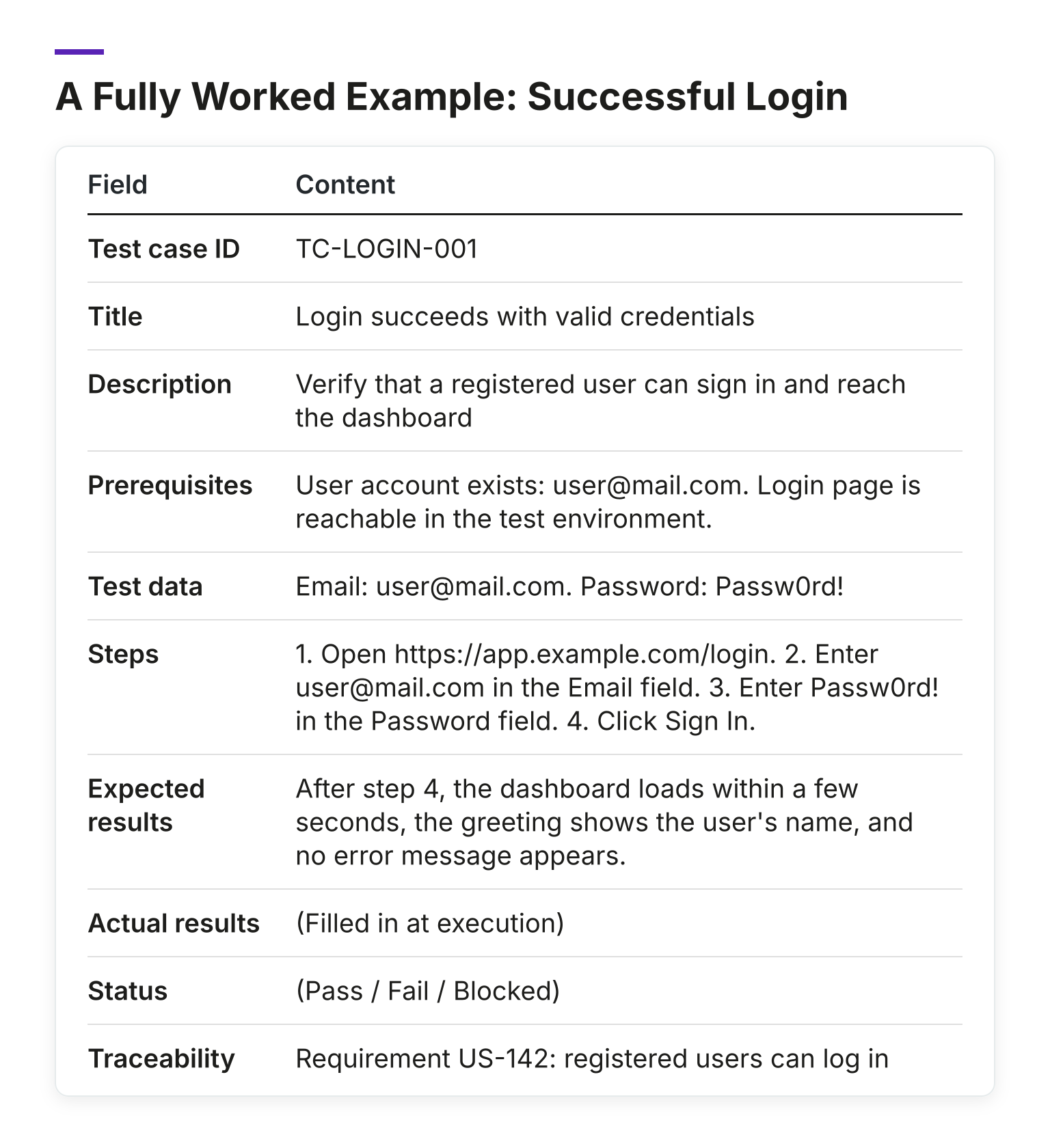
| Field | Content |
|---|---|
| Test case ID | TC-LOGIN-001 |
| Title | Login succeeds with valid credentials |
| Description | Verify that a registered user can sign in and reach the dashboard |
| Prerequisites | User account exists: user@mail.com. Login page is reachable in the test environment. |
| Test data | Email: user@mail.com. Password: Passw0rd! |
| Steps | 1. Open https://app.example.com/login. 2. Enter user@mail.com in the Email field. 3. Enter Passw0rd! in the Password field. 4. Click Sign In. |
| Expected results | After step 4, the dashboard loads within a few seconds, the greeting shows the user's name, and no error message appears. |
| Actual results | (Filled in at execution) |
| Status | (Pass / Fail / Blocked) |
| Traceability | Requirement US-142: registered users can log in |
Notice what makes it work. Anyone can execute it. The expected result is observable, not a feeling. The data is exact. If it fails, the failure points at a real defect rather than a missing precondition.
A common companion case checks the failure path: enter user@mail.com with a wrong password and expect an error message and no session created. Deliberately testing just outside normal boundaries, such as empty fields, maximum-length inputs, or unexpected characters, is where edge case testing earns its keep.
A Reusable Test Case Template
Copy this skeleton into your test management tool or spreadsheet:
Test Case ID:  [unique ID, e.g., TC-MODULE-###]
Title:         [Action] + [condition] + [expected outcome]
Description:   [What this test verifies and why it matters]
Prerequisites: [Accounts, environment, permissions, prior state]
Test Data:     [Exact values used]
Steps:
  1. [Action]
  2. [Action]
  3. [Action]
Expected Results:
  - After step X: [observable outcome]
Actual Results: [filled in during execution]
Status:         [Pass / Fail / Blocked]
Traceability:   [Requirement / user story / defect ID]
When Detailed Test Cases Add Value (and When They Do Not)
Written test cases shine in specific situations: regulated industries that need evidence, teams with rotating contractors or new joiners, regression suites that must be repeatable across releases, and features where a missed defect is expensive.
In other situations, lighter-weight checks fit better. A tester with deep product knowledge doing exploratory testing on a new feature may work faster with charters and notes than with step-by-step scripts. Detailed test cases cost time to write and, more importantly, to keep current. If the product changes weekly and nobody updates the suite, stale test cases start failing for reasons that have nothing to do with defects.
A reasonable compromise many teams land on: detailed, low-level cases for core flows and regressions, and checklists or exploratory sessions for exploratory work and fast-changing areas.
Common Mistakes to Avoid
- Vague steps. "Test the login page" tells the next person nothing. Break it into observable actions.
- Missing preconditions. If the test needs an existing account or seeded data, say so, or it will fail for the wrong reason.
- Subjective expected results. "The page looks good" is not verifiable. Describe what a correct page shows or does.
- One giant test case. If it covers five behaviours, one failure hides four. Split it.
- Duplicates. Without clear IDs and naming conventions, teams recreate tests they already have.
- Stale test cases. When steps no longer match the product, failed runs create noise. Review the suite with each significant release and delete or update what no longer applies.
Best Practices That Hold Up
- Name tests consistently. A pattern like TC-MODULE-BEHAVIOUR keeps large suites searchable.
- Keep steps small and focused. One action per step makes failures easy to locate.
- Prioritize. Not every case is equally important. Mark which tests must run in every release and which can wait.
- Keep tests independent. Each case should stand alone, not depend on another test having run first.
- Reuse where you can. A shared login or setup step, kept as a reusable block, saves hours across a large suite.
- Review for clarity. Hand a case to someone new. If they hit a false failure, the case needs work, not the tester.
The SmartBear guide on test case writing makes a similar point about repeatability and independence: a good test case leaves you in a state where you could run it again and get the same information.
Keep Learning
Writing test cases well is a craft you build with practice and feedback. If you are early in your testing career and want a structured path through fundamentals like this, the MoT Software Testing Essentials Certificate covers core testing skills in a practical way. And if you want a community of testers to compare notes with, courses, sessions, and events, MoTaverse membership gives you all of it in one place. Sign up and grow your testing career alongside thousands of other testers.

Hello. I'm Bug. You will find me across the MoTaverse and within software products across the whole world.
Comments