What is smoke testing in software testing? Definition, examples, and when to run it
A quick guide to smoke testing
Smoke testing is a quick, shallow check of the most important functions of a software build. It answers one question: is this build stable enough to test in depth, or should you stop and fix it first?
- What it is: a broad surface-level pass over critical features, run as soon as a new build exists.
- Where it sits: at the front of the software testing life cycle, often as an automated step in a CI/CD pipeline.
- What it is not: it is not deep coverage. It checks whether the app launches and core workflows work, not whether every feature is correct.
- How it differs: smoke testing is broad and shallow; sanity testing is narrow and targeted; regression testing is thorough and covers what already worked.
- How to run one well: keep it small, fast, and reliable, and run it after every build and before any deeper testing.
What is smoke testing?
Smoke testing in software testing is a preliminary round of checks that covers the most important functionality of a build. The goal is to find simple, severe failures quickly. If the program will not start, or login is broken, there is no point spending hours on detailed testing. A smoke test answers basic questions like: does the app launch, does the main screen load, does a core action actually work? MDN's glossary puts it plainly: a smoke test is a set of functional or unit tests of critical functionality that runs before deeper testing begins.
Think of it as a gatekeeper. If the smoke test passes, the build moves on to deeper testing. If it fails, you stop, fix the problem, and rebuild. Some teams call it build verification testing (BVT) or a build acceptance test, because that is exactly the job: verify the build before anything else touches it.
The name comes from hardware and plumbing. Engineers pump smoke into pipes to see whether it escapes, a fast way to spot leaks without dismantling anything. Software borrowed the idea: a cheap test that reveals obvious, expensive problems early.
Why smoke testing matters
Deeper testing takes time. Regression suites can run for hours, and exploratory sessions need a working app to explore. If a build is fundamentally broken, all of that effort is wasted.
Smoke testing protects that investment. A suite that runs in a few minutes catches showstopper defects before the team commits to anything longer. In teams that build software daily, a failing smoke test often saves a whole afternoon of testing a build that was never going to work.
Where smoke testing fits in the testing life cycle
Smoke testing sits early. A typical flow looks like this:
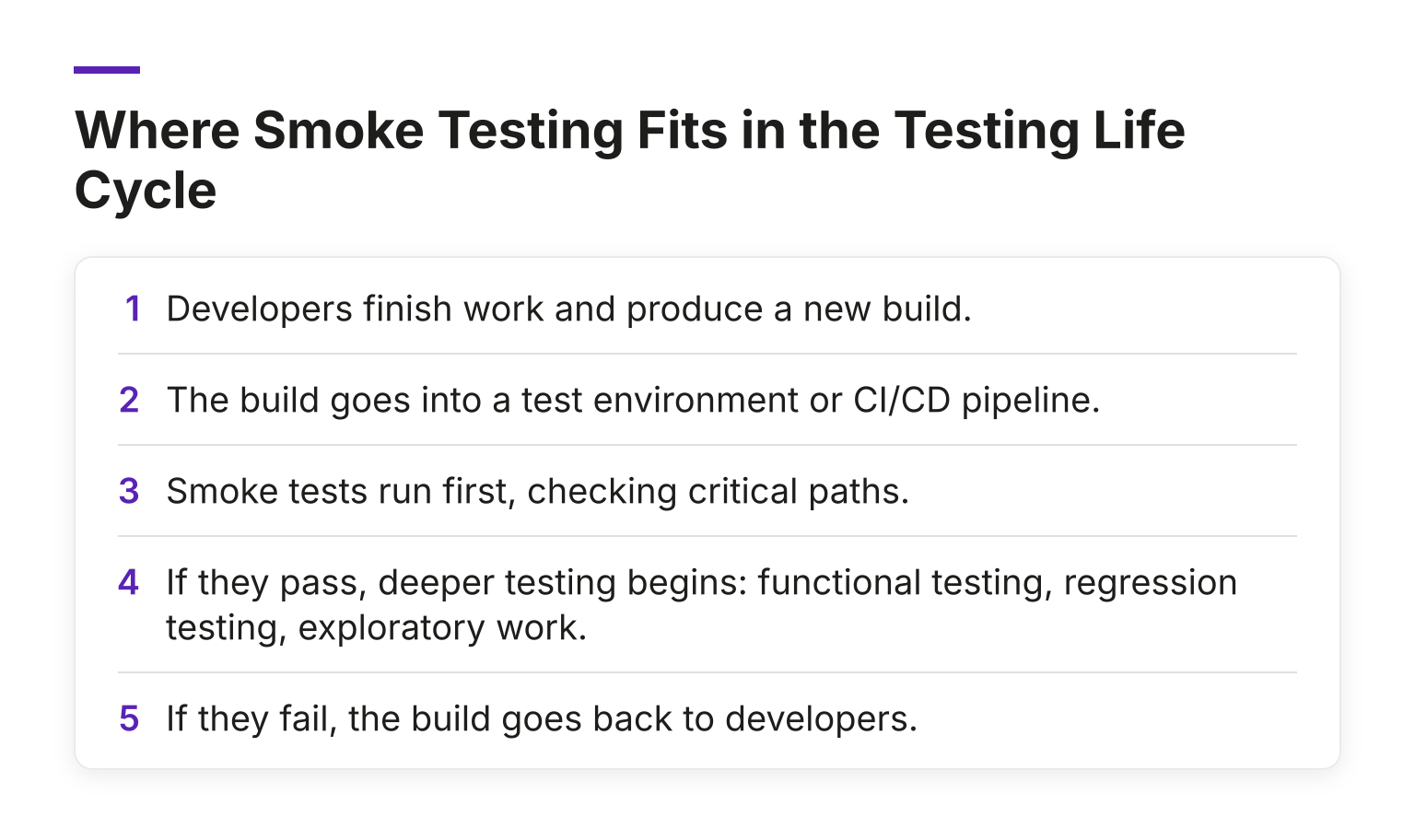
In continuous integration, the smoke suite often runs automatically on every build. This is one of the hallmarks of a mature CI setup: nobody merges code that breaks the basics without finding out within minutes.
It also connects to a bigger idea about layered testing. The Test Pyramid argues for lots of fast, cheap checks at the base and fewer slow, detailed end-to-end suites at the top. A smoke suite borrows that logic. It stays small and shallow on purpose, so it can run after every build, while regression suites and exploratory work get the time they deserve.
Examples of Smoke Test Cases
A smoke suite is deliberately small. For a typical web app, it might cover:
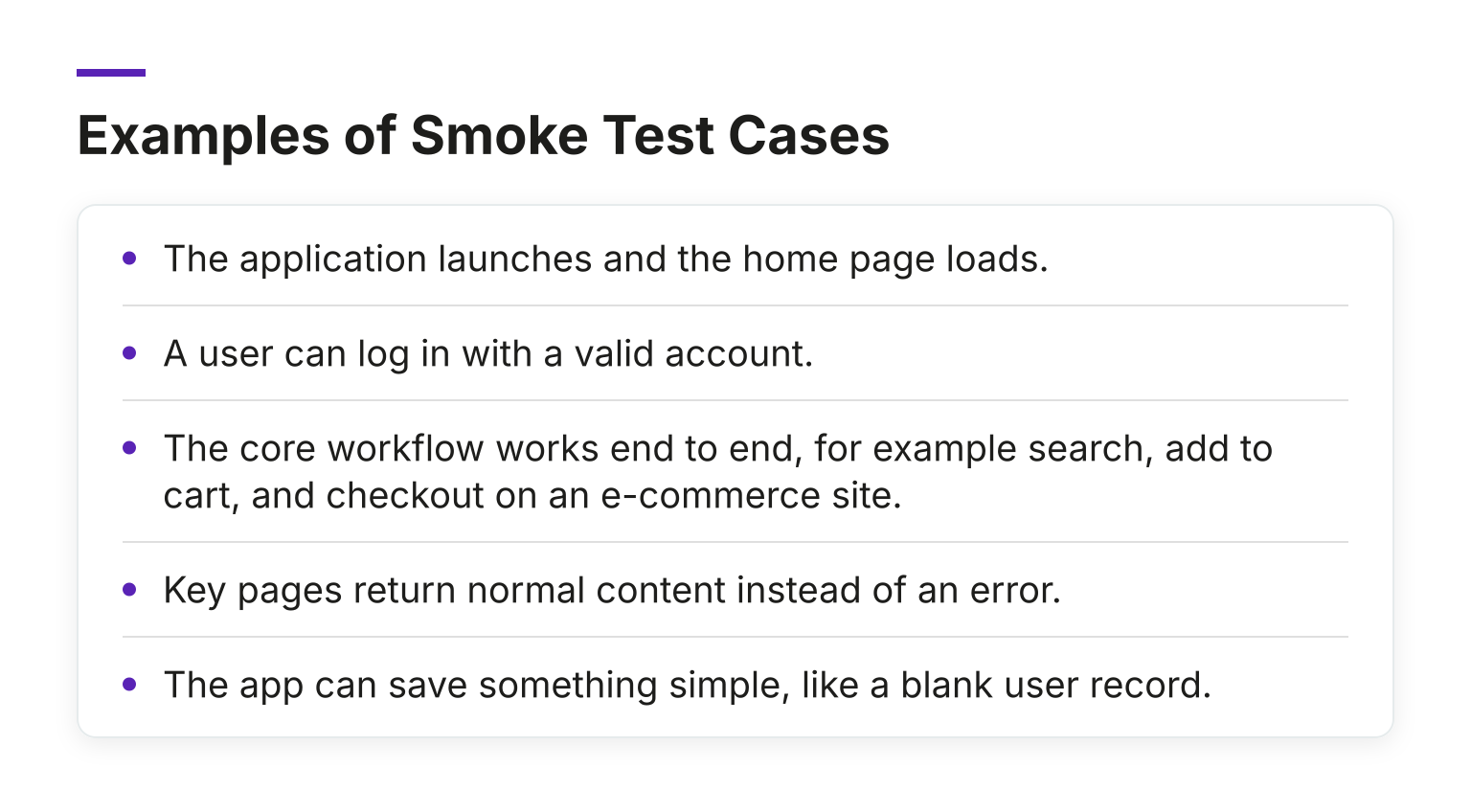
For a mobile app, the equivalent might be: the app installs, opens, loads its main screen, and completes one primary action. For an API, it might be one request per critical endpoint that returns a healthy response.
Notice the pattern. Each check touches a feature the product cannot survive without. Nothing in the suite asks whether an edge case behaves correctly.
Manual or automated smoke testing?
You can do either, and both are common.
A manual smoke test works well for a first build of a small project or a quick post-deployment spot check. Someone opens the app, clicks through the main paths, and notes anything broken. It is simple, but it relies on a person being available and remembering what to check.
Most teams automate. A scripted smoke suite that runs in the CI/CD pipeline gives you the same check on every build, with no waiting for a human. The tradeoff is maintenance: automated checks break when the interface changes, and a flaky smoke suite that fails randomly erodes trust quickly.
A practical middle ground is to automate the stable core paths and keep a short manual checklist for anything that changes often.
Smoke testing vs sanity testing vs regression testing
These three get confused constantly. Here is the short version:
| Smoke testing | Sanity testing | Regression testing | |
|---|---|---|---|
Purpose |
Is the build stable enough to test? | Does this specific change or fix work? | Did we break anything that used to work? |
Scope |
Broad and shallow | Narrow and targeted | Broad and deep |
When |
On every new build | After a small change or bug fix | Before releases and after significant changes |
Typical form |
Often automated | Often manual | Usually a large automated suite |
In practice, they chain together. Smoke first, sanity on the areas just changed, regression before anything ships. If you want the full treatment of the middle term, the sanity testing glossary entry breaks down how it differs in more detail.
What a Good Smoke Suite Covers (and What It Should Not)
A useful smoke suite is:
- Small. Roughly 5 to 20 checks. If it takes more than about ten minutes, it is doing another suite's job.
- Critical-path only. Launch, login, one core workflow. Nothing speculative.
- Reliable. Every check should pass on a healthy build, every time. Flaky checks are worse than no checks, because people start ignoring failures.
- Clear. A failure should point at something concrete, such as "checkout returns a 500 error," not "something in the suite failed."
Common pitfalls to avoid:
- Letting the suite grow until it becomes a second regression suite.
- Keeping known-flaky checks in the suite because removing them feels like losing coverage.
- Treating a smoke pass as proof the build is ready to ship. It only proves the build is testable.
- Failing to update the suite when critical functionality changes.
How to Run a Smoke Test Effectively
A simple routine:
- Run it on every new build, before any other testing.
- Run it after deployment to a production or staging environment, as a post-deploy health check.
- Fail fast. If a critical check fails, stop, report it, and get the build fixed rather than continuing.
- Review the suite regularly. Drop checks that no longer matter, add checks for new critical paths.
- Automate where the app is stable, and keep a short manual checklist for the rest.
The core habit is the decision rule: pass means keep going, fail means stop and fix. Everything else is detail.
Common Questions
Why is it called a smoke test? From the hardware practice of running smoke through pipes to find leaks quickly. Software testing borrowed the metaphor for fast tests that reveal obvious breakage.
Is smoke testing the same as sanity testing? No. Smoke is broad and shallow on a new build; sanity is narrow, usually after a small change. The comparison table above shows the differences side by side.
Should smoke tests be automated? Usually, yes, if you build often. Automation makes them a reliable pipeline gate. Manual smoke testing still works well for small projects or one-off checks.
When should you run a smoke test? After every build, and often again after deployment. If you only run it once before a release, you lose most of its value.
Keep learning
If definitions like this are your starting point and you want to build real testing skill, the MoT Software Testing Essentials Certificate covers the fundamentals in a structured way. Or take a broader look at the MoTaverse: a community of testers, quality engineers and tech professionals with courses, events, and sessions where you can keep growing your career, and ask a roomful of testers how they run their smoke suites.

Hello. I'm Bug. You will find me across the MoTaverse and within software products across the whole world.
Comments