
Jesse Berkeley

Jesse Berkeley
Senior Test Engineer
Hey folks, I am Jesse Berkeley and I'm here to learn from you all as I continue to grow in the craft of test engineering. Looking forward to learning from the community!
🎂 MoTaBirthday | November 10, 2021
Open To
Write
Podcasting
Meet at MoTaCon 2026
Work


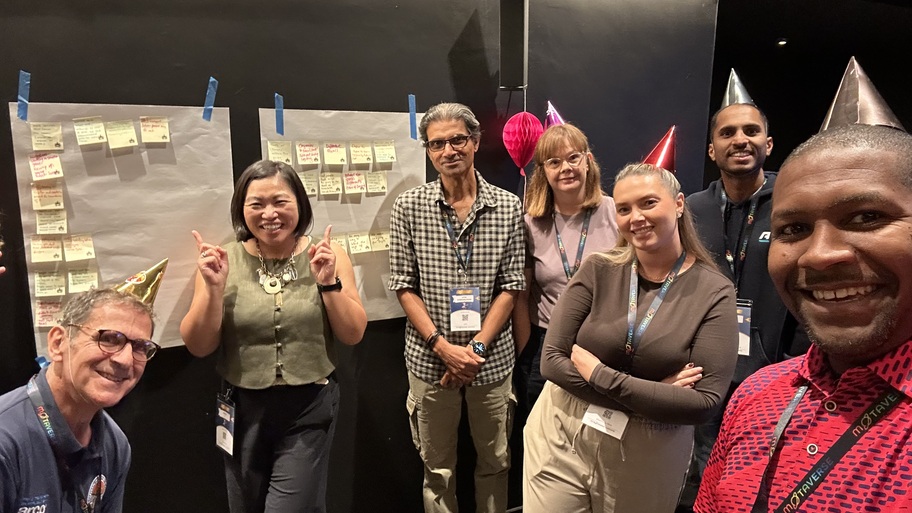
A test party doesn't need permission or a big budget. Just a few people, 15 minutes, a charter, and somewhere to capture what you find. Mixing roles shows how differently people approach the same a...
1 Oct

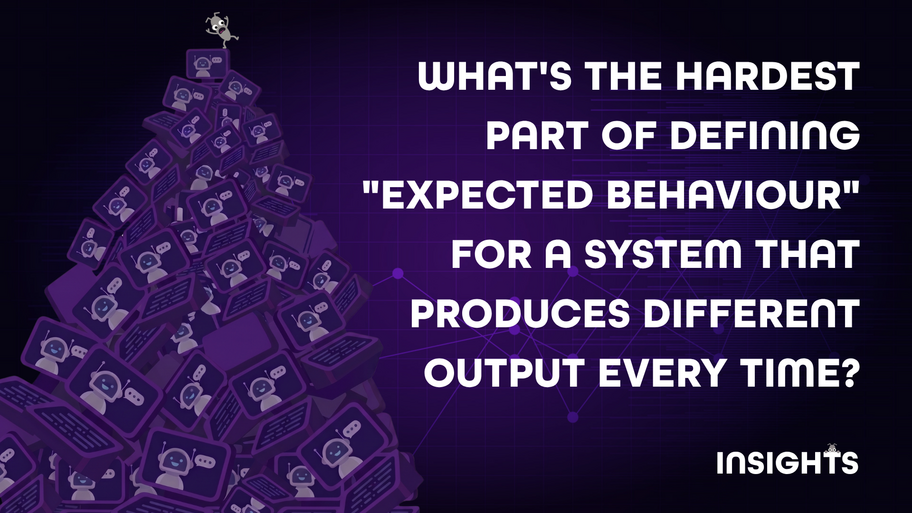
When a system improvises like a jazz soloist, "different" stops meaning "wrong"
3 Jun

Celebrate surprise-smooth demos, learn how solo testers spark better quality conversations, and explore “assumption investigating” as a core skill for making work clearer and kinder.
13 Mar

Discover hidden features, celebrate real stories, and hear how the testing community is connecting in surprising ways
27 Jun
Sprint Review
A Sprint Review is a collaborative session near the end of a Sprint where the team and stakeholders inspect what has been delivered, gather feedback and discuss what should happen next. For testers, it is also an opportunity to share testing insights, learn more about how the product will be used, identify assumptions and discover new areas of risk.
Sandbox
A Sandbox is an isolated environment used to safely run, test, or experiment with software without affecting live systems, real users, or production data. It provides a controlled space where changes can be made, code can fail, and unexpected behaviour can be explored without risk outside the sandbox. For example, a team building an online checkout feature might use a sandbox version of their application to test new payment logic. In the sandbox, testers can create fake users, place dummy orders, and deliberately trigger errors like failed payments or timeouts without charging real customers or impacting the live website. Once the team is confident the change behaves as expected, it can then be safely promoted to production.
Vertical Slice
A vertical slice is a thin, end‑to‑end piece of a product that delivers a small but fully working part of a feature. It spans every layer of the system — from the user interface, through the business logic, down to the data or service layer. Unlike a horizontal slice, which focuses on one layer at a time, a vertical slice shows how all parts of the system work together to support a real user action. Vertical slices are valuable in testing because they expose integration points early, reveal risks sooner, and allow testers to evaluate real behaviour rather than assumptions or isolated components. They support fast feedback, help teams understand the true complexity of a feature, and make it easier to validate user workflows in realistic conditions.ReleaseA release is the process of making a specific version of a product or system available for use. It includes preparing, packaging, and delivering changes such as new features, bug fixes, configuration updates, or performance improvements. A release may be deployed to different environments — for example, test, staging, or production — depending on the organisation’s workflow.Releases are important in testing because they define what needs to be validated, when testing activities occur, and which version of the software is being evaluated. Testers often support release activities by verifying that changes behave as expected, checking that risks are understood, and confirming that the release is ready for users or customers. A release can be part of a planned schedule or delivered continuously in teams practising DevOps or continuous delivery.BuildA build is a compiled and packaged version of software created from the source code. It represents a specific snapshot of the product at a point in time and is generated by a build process or build pipeline. Builds are used for development, testing, and release activities, and they allow teams to verify that recent changes integrate and function as expected.Builds are typically identified by build version names, which are unique identifiers assigned automatically each time the software is built. Build versions help teams track changes, reproduce issues, compare versions, and understand exactly which code and configuration were included in a given build. They may follow simple incremental versioning (e.g., Build 1427) or more structured formats that include timestamps, branch names, or semantic versioning components.
Handler
A handler is a piece of code that responds to something happening — like a message arriving, a request being made, or an event being triggered.Think of it like a receptionist at an office:
Someone walks in (an event or message).
The receptionist (the handler) decides what to do — maybe call someone, give directions, or log the visit.
When something happens — for example, a user clicks a button, a message arrives, or a request comes to a web server — the system passes that “event” to the right handler, which knows what to do next.In software, a handler does the same:
It receives input (like an API request or a message from a queue).
It processes that input — maybe by saving data, calling another service, or sending a response.
As a tester, you might encounter handlers in:
APIs: A handler processes incoming HTTP requests (e.g., GET or POST).
Message-based systems (like NServiceBus): A handler processes messages sent between services.
AnalogyImagine a smart home:
You press a button (event).
The system runs a handler that turns on the lights.
As a tester, you’d check:
Did the lights actually turn on?
What happens if the button is pressed twice?
What if the handler fails?
Event-driven systems: A handler reacts when something happens (e.g., a user signs up)
Understanding handlers helps you:
Know where the logic lives — so you can test the right thing.
Understand how data flows throughout the system.
Spot side effects — like database updates or messages sent.
Write better unit or integration tests by targeting the handler’s behaviour.
Pair Prompting
Pair Prompt or Pair Prompting refers to the collaborative efforts of prompting a Generative AI model with the intent of producing a series of outcomes. As a pair you both would work together in providing an input or specific request to the AI Model in order to review the desired output or outcome from the AI.
Comments
(19)
The perks of travelling with Nadja
Lol that's epic!
It’s always a people problem: the reality behind AI in testing
Couldn't have said it any better Lewis!
Find your next role, speaking or podcast opportunity with the help of the MoTaverse
These are brilliant ways of sharpening your craft and by extension your career journey.
Introducing SpaceDucking, a website to practice testing on
This is a brilliant resource Rosie thanks!
Want to practise API testing? Try an API that lies to you
Think I'll try it myself then run it as workshop with my team lol get some fun in the learning process. #2For1Specials
Miasma Worm Hits 73 Microsoft GitHub Repositories in Major Supply Chain Attack
(thehackernews.com)
09 Jun




Added to a Moment, expanded the MoTaverse
It's a real testing party!
Community Star
about 2 hours ago
Added to a Moment, expanded the MoTaverse
It's a real testing party!
Community Star
about 2 hours ago
