Everyday security testing: A practical guide to getting started
Mitigate security risks by building simple security testing techniques into your daily routine
-
-
- Beginner
- 11
- 15
- 11

100 already enrolled

Get comfortable with security terminology
- Appreciate the scope of security testing
- Differentiate between authorization and authentication
- Identify the type of security testing you’re most interested in
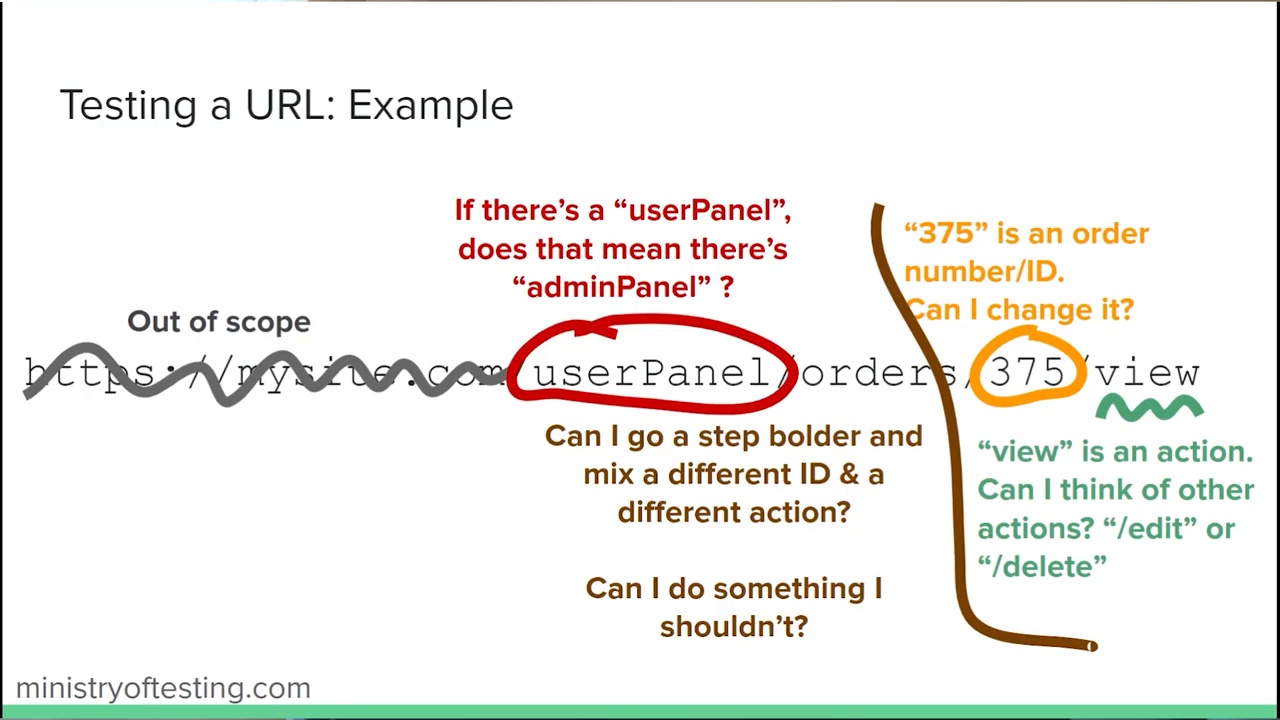
A starting technique: URL manipulation
- Recognise that you can perform simple security tests in the browser
- Perform URL manipulation to find defects in web URLs
- Use a tool to make and modify a request to find potential defects in an API
- Reflect on whether you’ve performed URL manipulation before and identify opportunities to use it at work
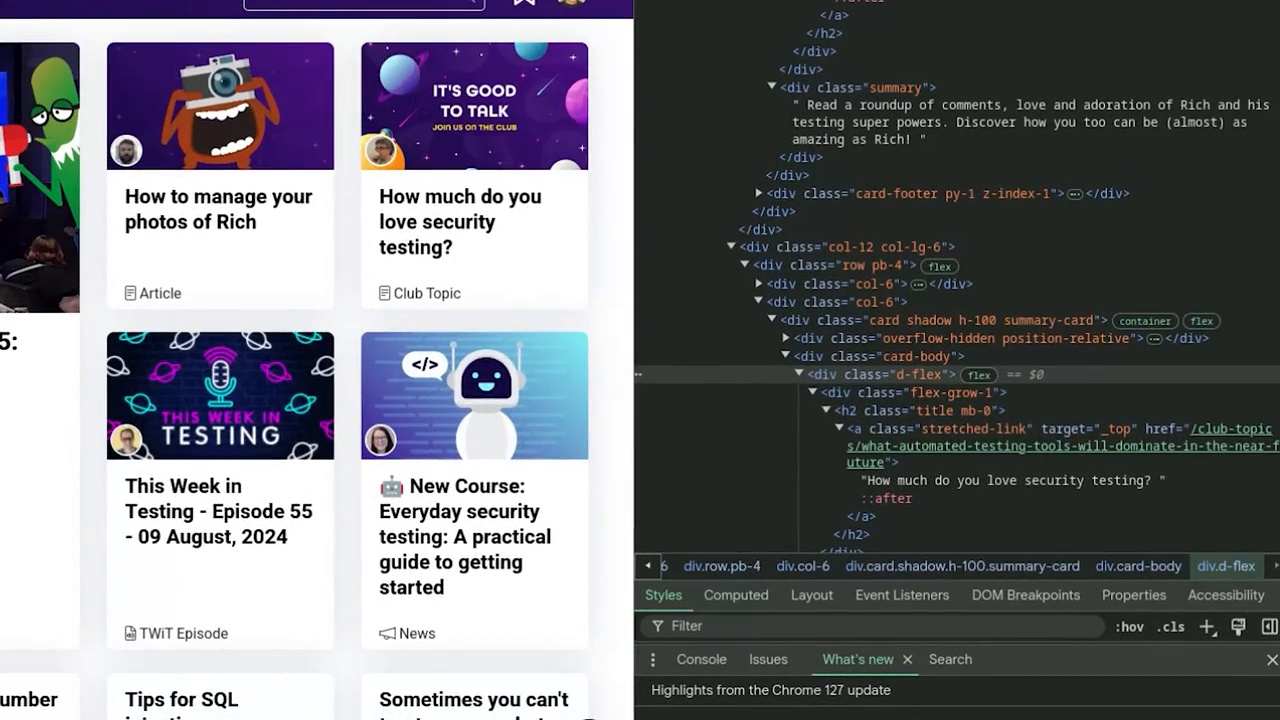
Bypassing the web UI
- Understand how browser developer tools can be used to bypass UI validation
- Perform testing that bypasses UI validation to identify defects
- Use a tool to make a request directly with invalid data
- Reflect on the importance of including server-side validation in your testing
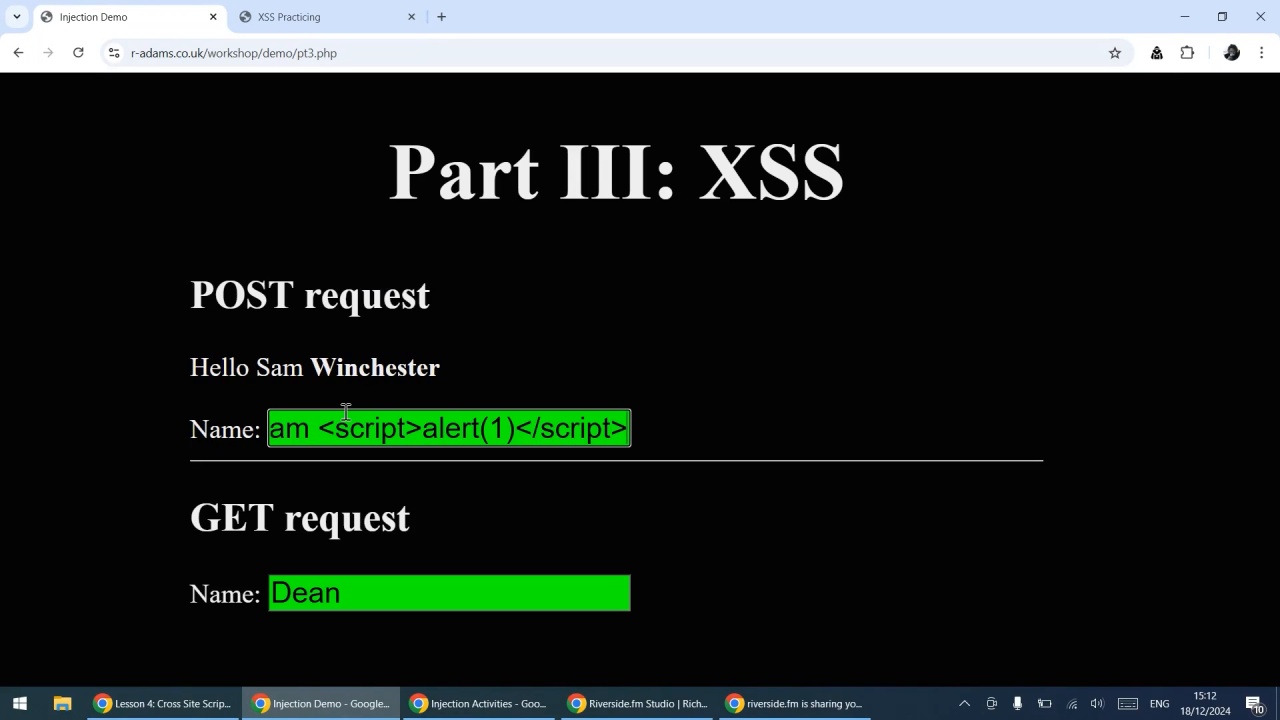
Cross site scripting
- Describe the intent of cross site scripting
- Use security-focused test data in a web form to check for XSS
- Extend your test data to include simple XSS payloads
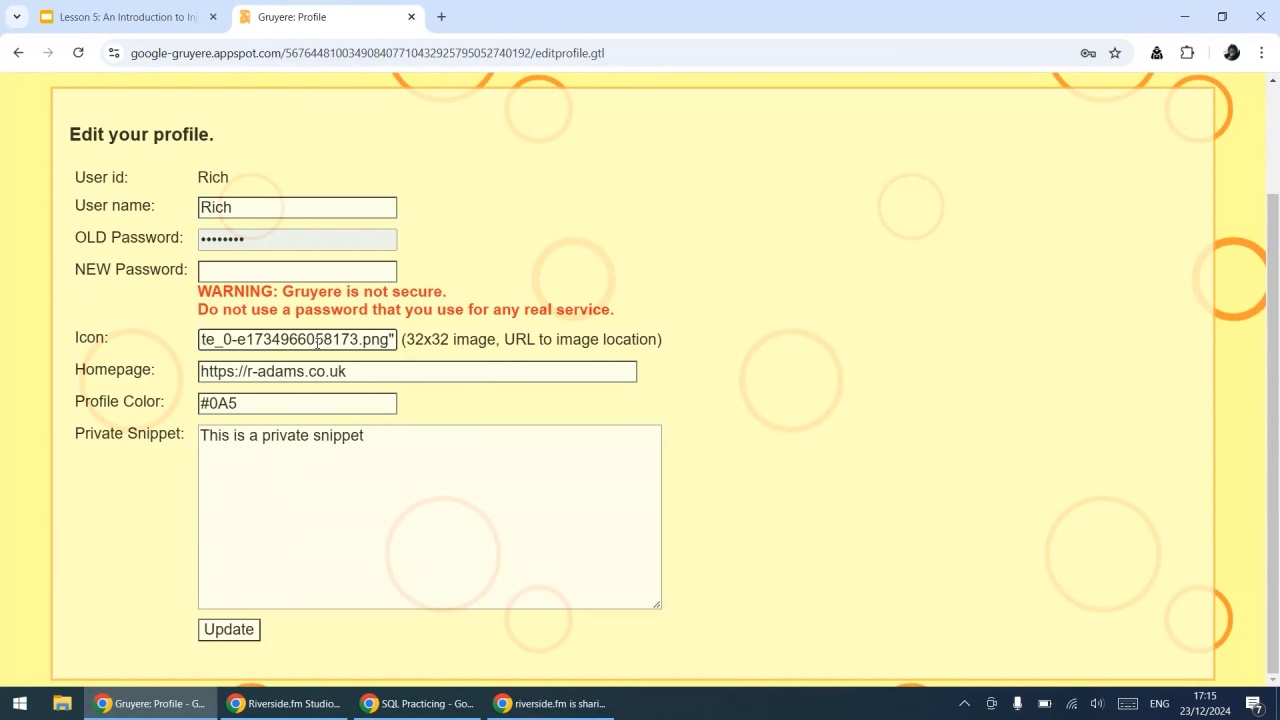
An Introduction to Injection
- Describe the concept of injection
- Use logical thinking to create inputs that break or manipulate an application
- Combine the concept of injection with XSS test data to perform more advanced tests
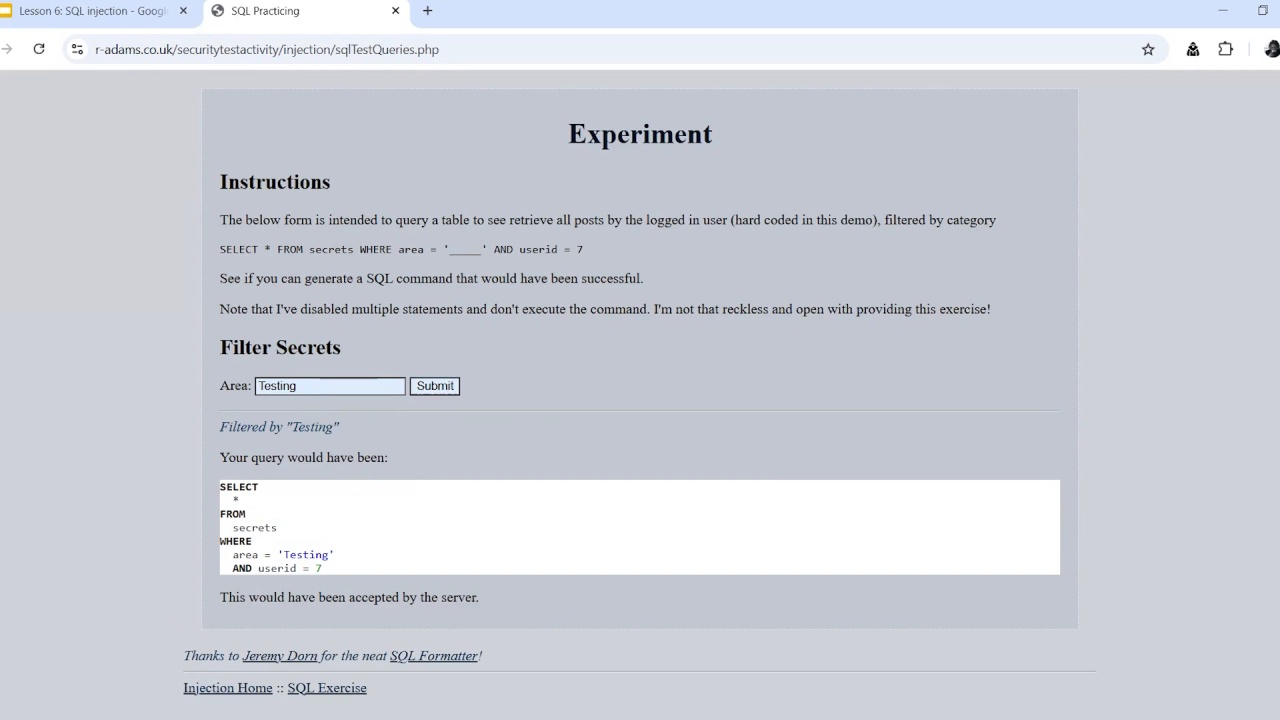
SQL injection
- Describe how SQL injection works
- Extend your test data to include snippets of SQL
- Carry out SQL injection using security-focused test data in a web form
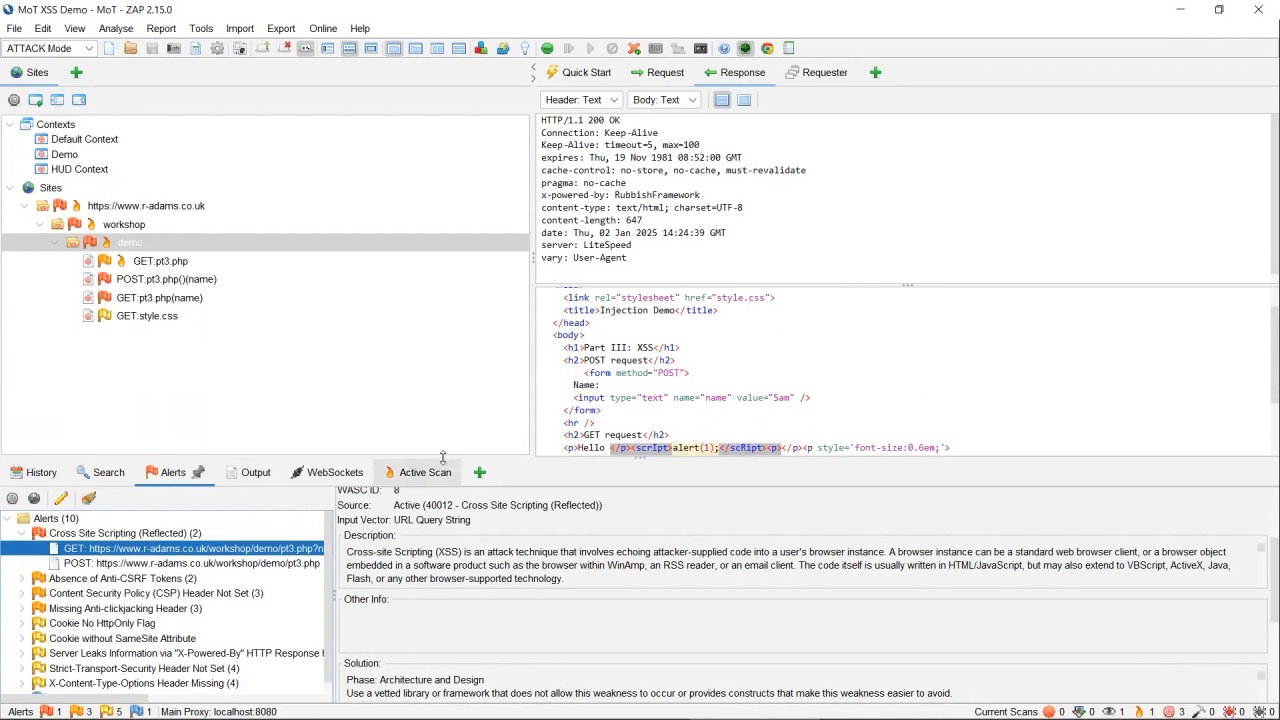
Using tools to find security defects
- Explain the differences between SAST, DAST, and SCA
- Practice using a DAST tool
- Share how to use a DAST tool with your team
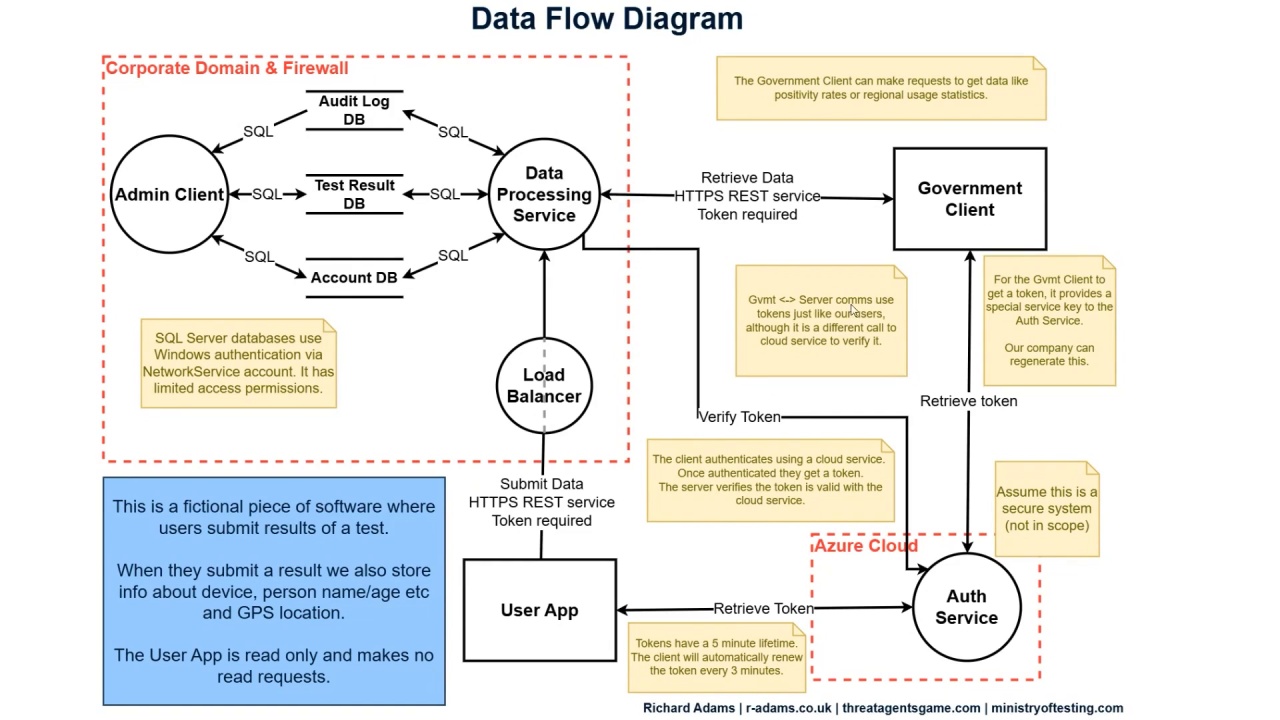
Threat modelling and data flow diagrams
- Describe what threat modelling is
- Interpret a data flow diagram
- Draw your own data flow diagram

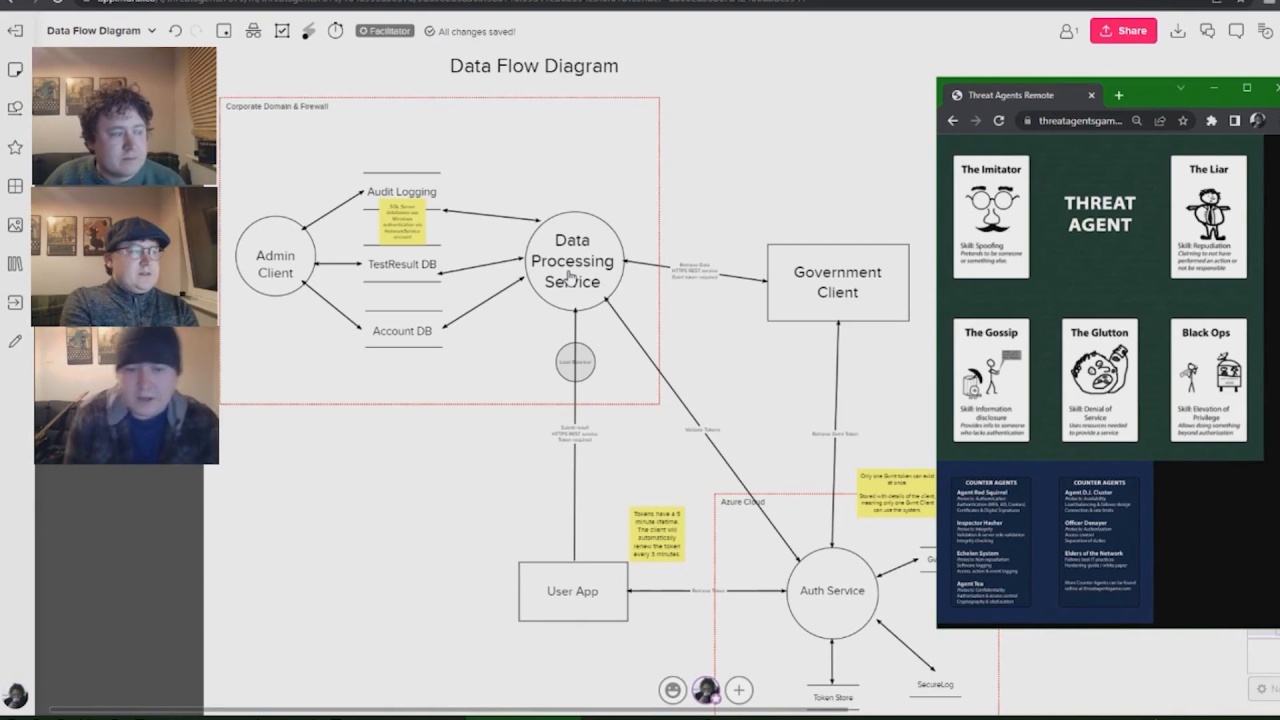
Threat modelling in action
- Understand how threat modelling works in practice
- Share three potential vulnerabilities from the fictional “We Are Angry” system
- Plan a threat modelling session with your team

Combining what we’ve learnt
- Reflect on the security techniques learned
- Create more advanced test cases that combine techniques
- Explore a web application using all the skills from this course
You don’t need to be a security expert to start finding security risks. This course is designed for anyone involved in testing, including exploratory testers, automation engineers, and developers, who want to add security testing to their toolkit without getting overwhelmed.
In this hands-on course, you’ll learn how to apply simple security testing techniques to your everyday work and build confidence in tackling security risks. From URL manipulation and bypassing UI validation to SQL injection and threat modelling, each lesson introduces practical, easy-to-apply techniques you can use right away.
By the end, you’ll have a clear understanding of security testing fundamentals, the ability to identify and test for common vulnerabilities, and a plan for incorporating security testing into your workflow.




Passionate about quality & testing. Creator of Threat Agents card game and regularly found chatting cyber security.
