Emily O'Connor

Emily O'Connor
Principal Quality Engineer
She/Her
Technical leader with a sixth sense for bugs. Avid learner, passionate about translating "dev-speak" to enable teams adopt automation and AI-accelerated quality engineering. I believe great software starts with user-focused problem solving, and automation should surface the bugs that PMs actually care about fixing.
🎂 MoTaBirthday | March 4, 2020
Open To
Work
Mentor
Mentee
Podcasting
Write
CV Reviews
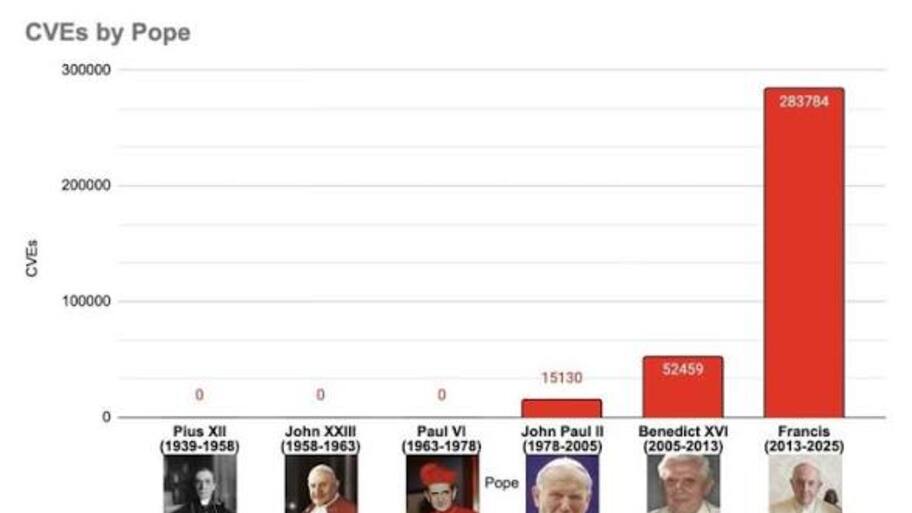
Pope Francis’ reign included an astronomical increase in CVEs recorded…From https://x.com/IceSolst/status/1915516957840867394
It wouldn’t be appropriate to include Pope Leo XIV, because that would...
25 Sep
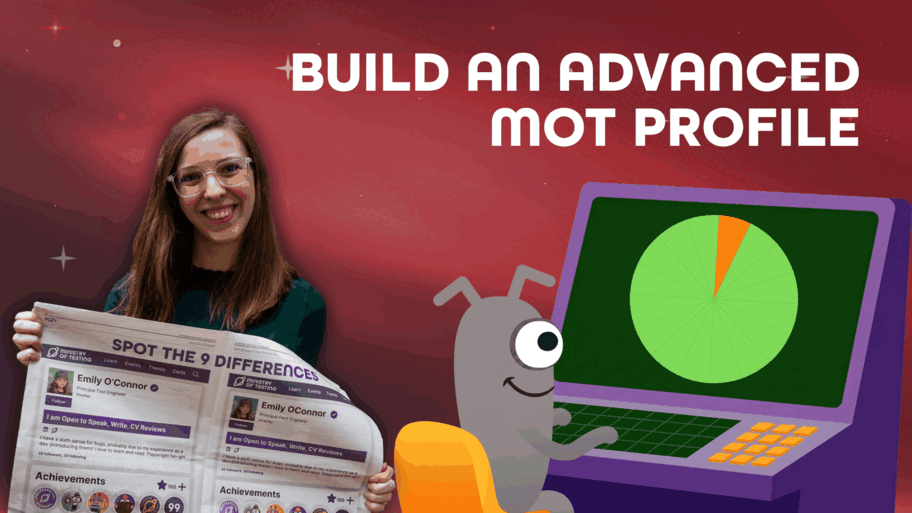
1,000 songs in your pocket changed how the world listened to music. The MoTaverse changes how tech professionals grow their careers.Sixteen features, sixteen stories, one thread running through al...
26 Aug
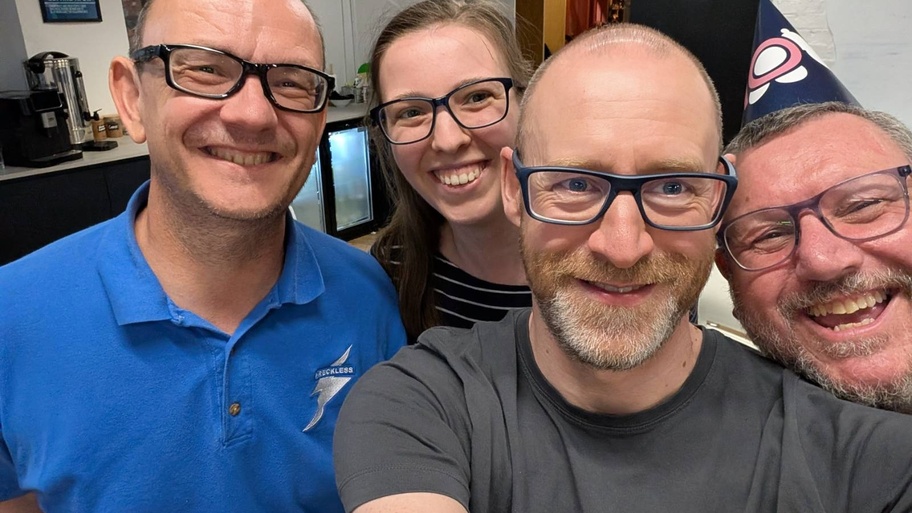
Nice to see my former SBG colleagues Steve and Alex in Leeds, with Ady as our host.
31 Jul

Master the RICCE framework to transition from manual testing to AI-augmented automation by leveraging structured prompting and the Playwright MCP agent ecosystem.
9 Apr

Apply the "5 Whys" technique to both technical debugging and organisational workflows to uncover deep-seated root causes and implement sustainable continuous improvements.
31 Mar
Evaluate the shift from "automate all" to "review all" by using AI agents for test plans while applying human-led ACE feedback to ensure code quality and business relevance.
2 Apr

Celebrate the creativity and courage of testers and quality engineers as they share stories, lessons, and ideas in just 99 seconds.
20 Oct
Static Analysis
Static analysis is examining the code without executing it; providing understanding of code structure and ensuring the code adheres to industry standards (~4 mins)
Snapshot Testing
Snapshot tests are a very useful tool whenever you want to make sure your UI does not change unexpectedly.
A typical snapshot test case renders a UI component, takes a snapshot, then compares it to a reference snapshot file stored alongside the test. The snapshot artefact should be committed alongside code changes, and reviewed as part of your code review process. The test will fail if the two snapshots do not match: either the change is unexpected, or the reference snapshot needs to be updated to the new version of the UI component.It's straightforward to spot when a snapshot test fails after a bug has been introduced. When that happens, go ahead and fix the issue and make sure your snapshot tests are passing again.However, if the component behaviour is updated, our snapshot test case fails because the snapshot for our updated component no longer matches the snapshot artifact for this test case. To resolve this, we will need to update our snapshot artifacts. You can run Jest with a flag that will tell it to re-generate snapshots:jest --updateSnapshot
The Test Automation Pyramid
The “Test Pyramid” is a metaphor, defined by Mike Cohn in his book Succeeding with Agile, that tells us to group software tests into buckets of different granularity. It also gives an idea of how many tests we should have in each of these groups.Stick to the pyramid shape to come up with a healthy, fast and maintainable test suite: Write lots of small and fast unit tests. Write some more coarse-grained tests and very few high-level tests that test your application from end to end.Don't become too attached to the names of the individual layers in Cohn's test pyramid. Given the shortcomings of the original names it's totally okay to come up with other names for your test layers, as long as you keep it consistent within your codebase and your team's discussions.
CVE
CVE, short for Common Vulnerabilities and Exposures, is a list of publicly disclosed computer security flaws. The CVE system works by assigning unique, standardized identification numbers to publicly disclosed software vulnerabilities so organizations can track and share security information across different tools and databases.CVE entries are brief. They don’t include technical data or information about risks, impacts, and fixes. Those details appear in other databases, including the U.S. National Vulnerability Database (NVD), the CERT/CC Vulnerability Notes Database, and various lists maintained by vendors and other organizations.
What qualifies as a CVE?According to the CVE Numbering Authority operational rules, CVE IDs are assigned to flaws that meet specific criteria. Flaws must:
Be independently fixable. The flaw can be fixed independently of any other bugs.
Be acknowledged by the affected vendor or documented. The software or hardware vendor acknowledges the bug's existence and confirms that it negatively impacts security. Alternatively, the reporter must have shared a vulnerability report that demonstrates both the negative impact of the bug and that it violates the security policy of the affected system.
Affect only 1 codebase. If a flaw impacts more than 1 product, it gets a separate CVE for each product. In cases of shared libraries, protocols or standards, the flaw gets a single CVE only if there’s no way to use the shared code without being vulnerable. Otherwise each affected codebase or product gets a unique CVE.
Quality
Most people think about product quality when they hear the word quality, and that’s obviously very important but, the quality of how we deliver that product is also important. We cannot have product quality without a high quality process.
Comments
(14)
Slack bug?
🙃
Great Summer Social event
Nice picture of Mr Steve Mellor :)
Security Shifting Left in Lovable
Highlighting the security problems sounds like a good feature, but it might be too little too late as folks just want to publish! I wonder if it was a reaction to this news piece: https://www.ministryoftesting.com/satellites/lovable-vibe-coding-security-crisis-exposed
Test the numbers, a cheat sheet
Is this list trying to be the numerical counter part to The Big List of Naughty Strings?
https://www.ministryoftesting.com/satellites/big-list-of-naughty-strings?s_id=19042891
Roundtable: Exploring Quality with Templates and Charters
Intro to "problem statement" 2:30
Melissa on the one page test plan 6:50
Natallia on prioritisation, scope and constraints 9:40
Zooming out from the implementation 17:20
Personas and getting the customers perspective 20:30
Standardisation and templates 24:20
Archeology: How to Inherit a System Nobody Documented
(nvasileiadis.github.io)
18 Sep
Hundreds Of Anthropic Chatbot Transcripts Showed Up In Google Search
(www.forbes.com)
26 Jul
Microsoft SharePoint under attack via new exploit (CVE-2026-50522)
(www.cybersecuritydive.com)
21 Jul




Visited an Observatory link
Security advisory: Critical remote code execution vulnerabilities, update now
Community Star
3 days ago
Visited an Observatory link
PHP2Shell - Critical vulnerabilities in PHP (CVE-2026-109618, CVE-2026-109619): detection, analysis, and remediation
Community Star
3 days ago
Visited an Observatory link
What is PHP and why did it spark a global cyber-security scramble?
Community Star
3 days ago
